Table of Contents
Professional LED screen content is not just bright text on a black background. It is a short, readable message designed so customers can understand your offer in a few seconds—whether they are walking past a shop window, waiting in a lobby, or standing in a conference hallway. A browser-based LED Scroller lets you design, preview, and display that message on phones, tablets, TVs, and projectors without installing dedicated signage software.
This guide walks through how to plan and produce business-ready LED display content: message structure, typography, motion, resolution choices, and common use cases. It also shows how an online LED scroller fits into a practical workflow when you need fast updates for promotions, events, or welcome boards.
What Professional LED Screen Content Means
Amateur signage often tries to say everything at once. Professional content does the opposite: one primary idea, one supporting detail, and one clear action when needed. Think of your screen as a digital ticker—not a brochure.
- Primary message: The offer or announcement (for example, “Weekend sale — 20% off jackets”).
- Supporting detail: Time, location, or condition (“Today only · In-store”).
- Action (optional): What to do next (“Ask at the counter” or “Scan for menu”).
Readability first
If a passerby cannot finish your loop in about 5–8 seconds, shorten the copy before you add effects. Motion cannot fix a message that is too long.
Using a Custom LED Scroller for Modern Digital Signage
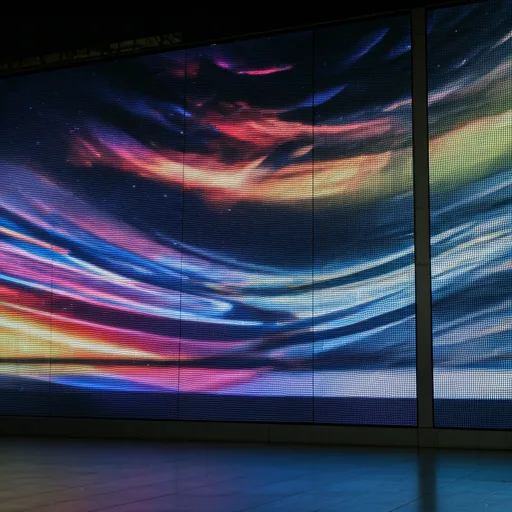
Static posters still work, but moving text draws attention in busy spaces. An LED scroller bridges static print and full video production: you get dynamic messaging with far less setup. Whether you present on a Full HD display or a sharper 4K screen, the goal is the same—high contrast, steady motion, and text that stays legible at viewing distance.
LED Scroller is a professional-style digital signage simulator that runs in the browser. You can adjust colors, scroll speed, blink, and glow-style effects, then open fullscreen on the device connected to your TV or projector. That makes it useful for temporary campaigns, pop-up events, and teams that need to change copy quickly.
Key Features That Matter for Business Displays
When you design for a shop window, stage, or lobby monitor, focus on controls that improve clarity—not every available effect. A capable LED banner app workflow typically covers the areas below.
Content and typography
- Prefer bold sans-serif fonts for long viewing distances.
- Keep line length short; one strong phrase beats a paragraph.
- Match brand colors only when contrast remains high against a dark background.
- Avoid thin script fonts for sales and safety announcements.
Motion dynamics
- Set scroll speed so viewers can finish a short phrase without rushing.
- Use left-to-right or right-to-left consistently; do not change direction mid-campaign.
- Reserve blink or pulse for a single keyword (sale, open, now)—not the full sentence.
- Loop seamlessly so the start of the message reconnects cleanly after each cycle.
For deeper guidance on pace and legibility, see Optimizing Text Speed for Readability.
Visual style and screen size
- Dot-matrix or glow styles can reinforce an “LED board” look; keep glow moderate indoors.
- Raise contrast for bright rooms; reduce brightness for evening events.
- On an external big size screen, prioritize larger type and slower motion over decorative effects.
- Test mirror mode only when the display is used in a rear-projection or mirrored setup.
Why Choose an Online LED Display Tool for Business Work
Hardware LED walls are powerful, but many businesses only need reliable messaging on screens they already own. An online LED screen generator helps you iterate in real time: change the offer, preview instantly, then go fullscreen. For live events, a stable screen with cable connection (HDMI or similar) usually beats relying on wireless casting alone.
| Need | Printed poster | Online LED scroller |
|---|---|---|
| Same-day price change | Reprint required | Edit text and republish in minutes |
| Night visibility | Needs extra lighting | Self-illuminated on the display |
| Multi-location reuse | Separate prints | Open the same link or saved settings |
| Setup cost for trials | Print + design cycle | Use existing phone, tablet, or TV |
Professional Applications That Work Well
Use cases that benefit most from scrolling LED-style messaging share one trait: people pass quickly and need a short prompt.
- Event announcements: Session times, room changes, and “doors open” notices at conferences or festivals.
- In-store promotions and digital menus: Daily specials, flash sales, and queue updates.
- Corporate lobbies: Visitor welcome lines, visitor Wi-Fi reminders, or internal “town hall starts at 3 PM.”
- Concert and stage banners: Artist names, set cues, or sponsor lines on secondary screens.
- Airport pickup and welcome signs: Large, high-contrast names that stand out in a crowd.
Step-by-Step: Create Business LED Content in LED Scroller
- Write the message first: Draft offline. Cut anything that is not essential.
- Open the generator: Start on the LED Scroller homepage or a dedicated LED screen text page.
- Set colors for contrast: Bright text on a dark background is usually safest for retail and events.
- Choose speed and direction: Preview at the same distance you expect viewers to stand.
- Match the output screen: Check how the design looks on a Full HD TV or a 4K monitor before the event.
- Launch fullscreen: Use fullscreen view on the display device; hide browser chrome for a clean board look.
- Keep a backup line: Save a shorter alternate message in case the venue is noisier or brighter than expected.
Hardware note
LED Scroller simulates classic LED ticker boards in the browser. It does not replace industrial outdoor LED cabinets, but it is an effective way to produce professional scrolling messaging on everyday screens.
Message Examples You Can Adapt
Retail
- “Open late tonight · Until 10 PM”
- “Buy 1 Get 1 · Ends Sunday”
Events
- “Keynote · Hall B · 2:00 PM”
- “Doors open in 15 minutes”
Hospitality
- “Welcome, Rivera party”
- “Today’s special · Grilled salmon”
Corporate
- “Visitor check-in at reception”
- “Town hall · 3 PM · All hands”
Common Mistakes to Avoid
- Keyword stuffing on the screen: Customers need clarity, not SEO phrases. Keep on-screen copy human.
- Effects over clarity: Heavy blink plus fast scroll reduces comprehension.
- Ignoring ambient light: A design that looks great in a dark office may fail in a sunlit window.
- No power plan: For long shifts, use a wired display connection and disable sleep on the playback device.
- Skipping a dry run: Always test at the real mounting height and distance.
If you are building a broader DIY program for stores and studios, continue with the DIY Digital Banner Guide for Business and The Impact of LED Signage on Customer Engagement.
Next Steps
Start with one short promotion, one welcome line, or one event cue. Design it in LED Scroller, preview in real time, then display fullscreen on the screen your audience will actually see. Iterate weekly: update offers, tighten wording, and keep motion calm enough to read. That steady improvement is what turns a simple scrolling banner into reliable business communication.